
Overview
As a reseller, you can renew a customer's Lucen Timeline subscription in the Account Center through a guided renewal flow. You can keep the current plan or add seats before you pay.
Step 1: Open the customer's subscription
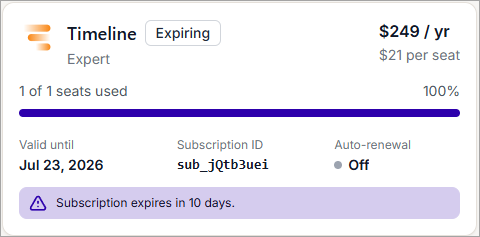
Sign in to the Account Center at lucensoftware.com with your Billing Owner credentials. From the left menu, go to Admin, then Subscriptions, and select the customer's subscription you want to renew.
To quickly find subscriptions approaching renewal, sort the Subscriptions list by the valid-until date. Select the valid-until column header to sort, then select it again to reverse the order.
Step 2: Start the renewal
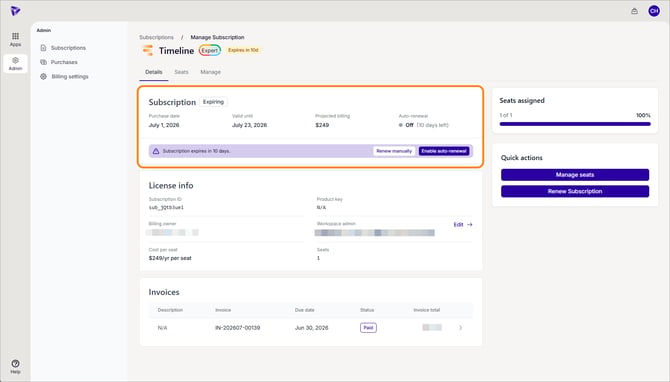
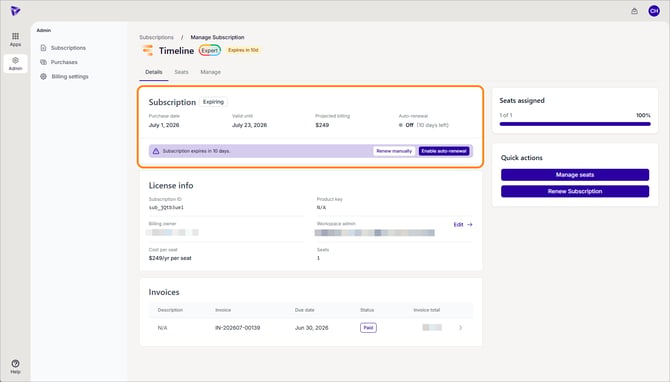
On the Details tab, click Renew manually in the expiry banner, or click Renew Subscription under Quick actions. Both open the same renewal panel.
Step 3: Customize the renewal
In the Renew subscription panel, the current plan and seat count are shown. To add seats, choose a number under Add seats (renewal lets you add seats, not remove them). If you have a coupon, click Have a coupon code?. Click Review renewal.
Step 4: Review the renewal
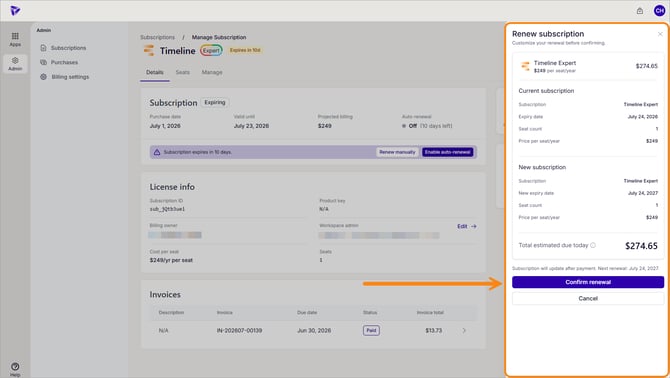
Compare the current subscription with the new subscription, including the new expiry date, seat count, and total due today. Click Confirm renewal.
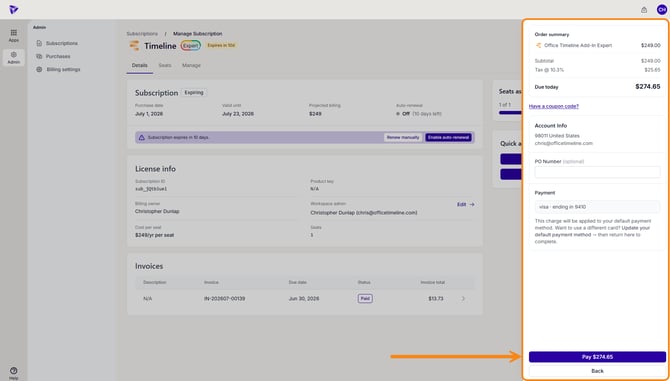
Step 5: Complete payment
Review the order summary, including the subtotal, tax, and total Due today. The Account Info and Payment method are shown here but can't be edited on this screen.
The charge applies to your default payment method; to pay with a different card, update your default payment method first, then start the renewal again. Add a PO Number if you need one (optional), then click Pay $[amount].
After payment, the subscription updates and a confirmation appears. If you renew early, the subscription shows a Renewed status until the new term begins, then it changes to Active.
The Workspace Admin stays as set on the subscription; renewing does not change who manages it. To renew automatically instead, click Enable auto-renewal on the Details tab.