Overview
The Account Center is where Billing Owners and Workspace Admins manage Timeline subscriptions, user access, and billing. Log in at lucensoftware.com to access it.
A) Accessing the Account Center
B) Subscriptions
C) Purchases
D) Billing Settings
This article provides an overview of the Account Center and explains where to find common tools and settings.
A) Accessing the Account Center
Visit lucensoftware.com and log in with your Billing Owner or Workspace Admin credentials.
After logging in, you will land in the Account Center. Use the left navigation to move between sections.
B) Subscriptions
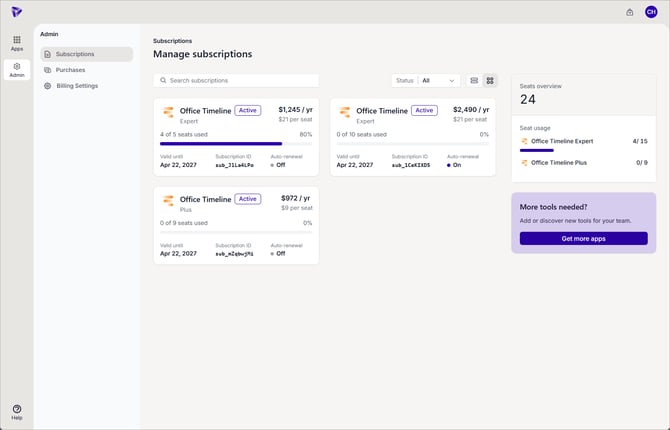
The Subscriptions section is where you manage your Timeline subscriptions and the users on them. In the left navigation, go to Admin > Subscriptions to see your subscriptions. You can view subscriptions in a card or list view.

In list view, you can sort the Subscriptions list by any column. Select a column header to sort by that column, and select the same header again to reverse the order. For example, sort by the valid-until date to organize subscriptions by upcoming renewal. Sorting applies to the list view.
Select a subscription to open its management page. Each subscription has three tabs: Details, Seats, and Manage.
Details Tab
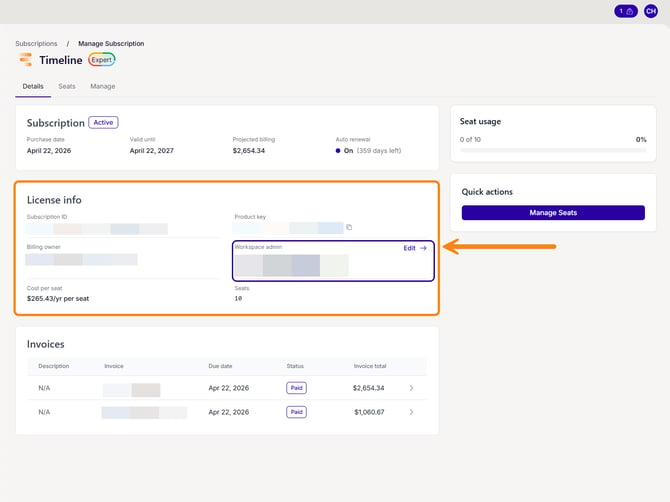
The Details tab shows subscription information including plan, seat count, expiry date, and auto-renewal status. Billing Owners can view and update the assigned Workspace Admin from this tab.
Seats Tab
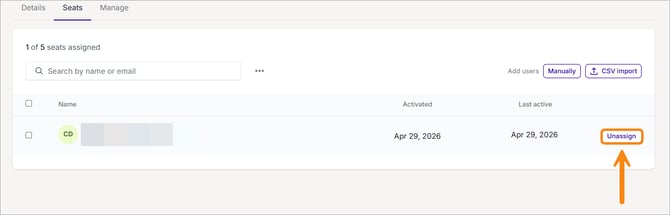
The Seats tab is where you assign and manage user access. Users can be added individually or imported in bulk using a CSV file. The tab shows each assigned user's name, activation status, and last active date. Click Unassign to remove a user's access.
Manage Tab
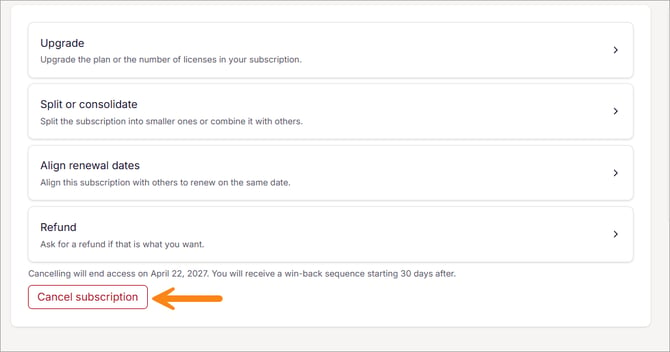
The Manage tab gives you options to modify the subscription itself:
- Upgrade: Upgrade the plan or add more licenses
- Split or consolidate: Split the subscription into smaller ones or combine it with others
- Align renewal dates: Sync this subscription's renewal date with others
- Refund: Request a refund
- Cancel subscription: Turns off auto-renewal; your team retains access until the expiry date
C) Purchases
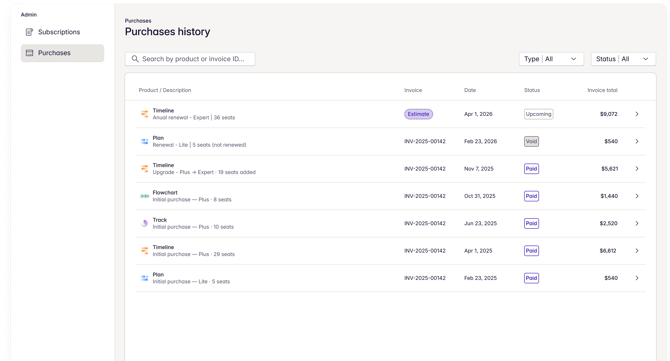
The Purchases section shows your order history. Use it to find past invoices and review previous transactions.
D) Billing Settings
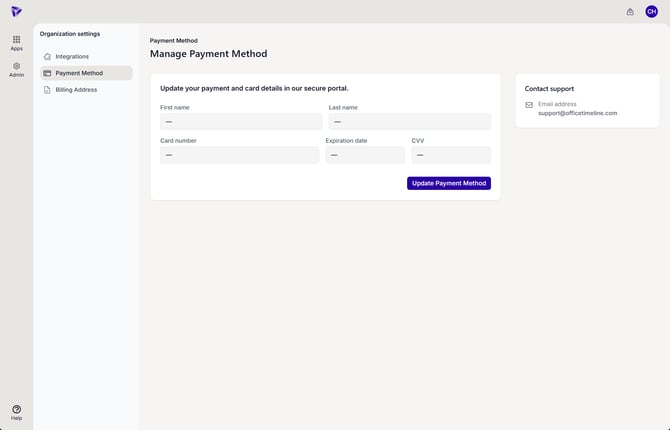
The Billing Settings section is where the Billing Owner manages payment methods and billing contact information.